The terminal for you and your coding agents

Terminal sessions that belong to a project and come back as you left them. Claude Code, Codex or any CLI agent runs in them as it ships, and uses the same browser, board and Store you do.

Download for macOSGet started

Apple Silicon, macOS 12 or later · Also for Linux · Free and open source, MIT

A window on a project: the side lists its board and its session, Claude Code, over the tree of the project’s files; Claude Code runs in a terminal, and the page and the file opened in its session are tabs on the terminal’s right

What a terminal alone lacks

Five things in the window

Sessions

A real terminal, for you and for agents

Your shell on a PTY, in sessions that belong to the project. Claude Code, Codex, Gemini CLI and the rest run in them as their makers ship them, with their own commands, sign-in and updates. A session shows the mark and title of what runs in it, and the files and pages opened in it are its own tabs.
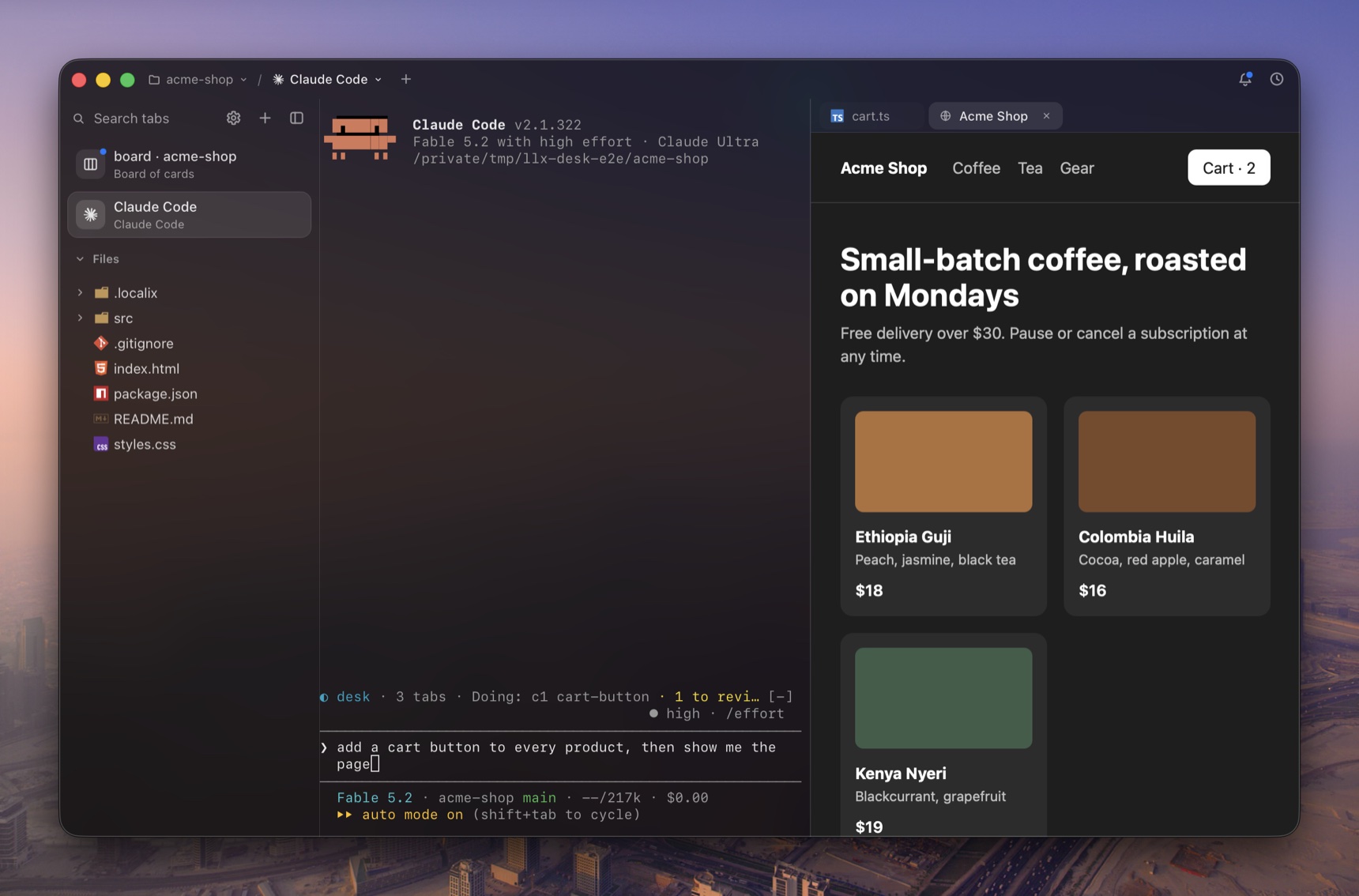
A window on a project: the side lists its board and its session, Claude Code, over the tree of the project’s files; Claude Code runs in a terminal, and the page and the file opened in its session are tabs on the terminal’s right

Board

Work handed out card by card

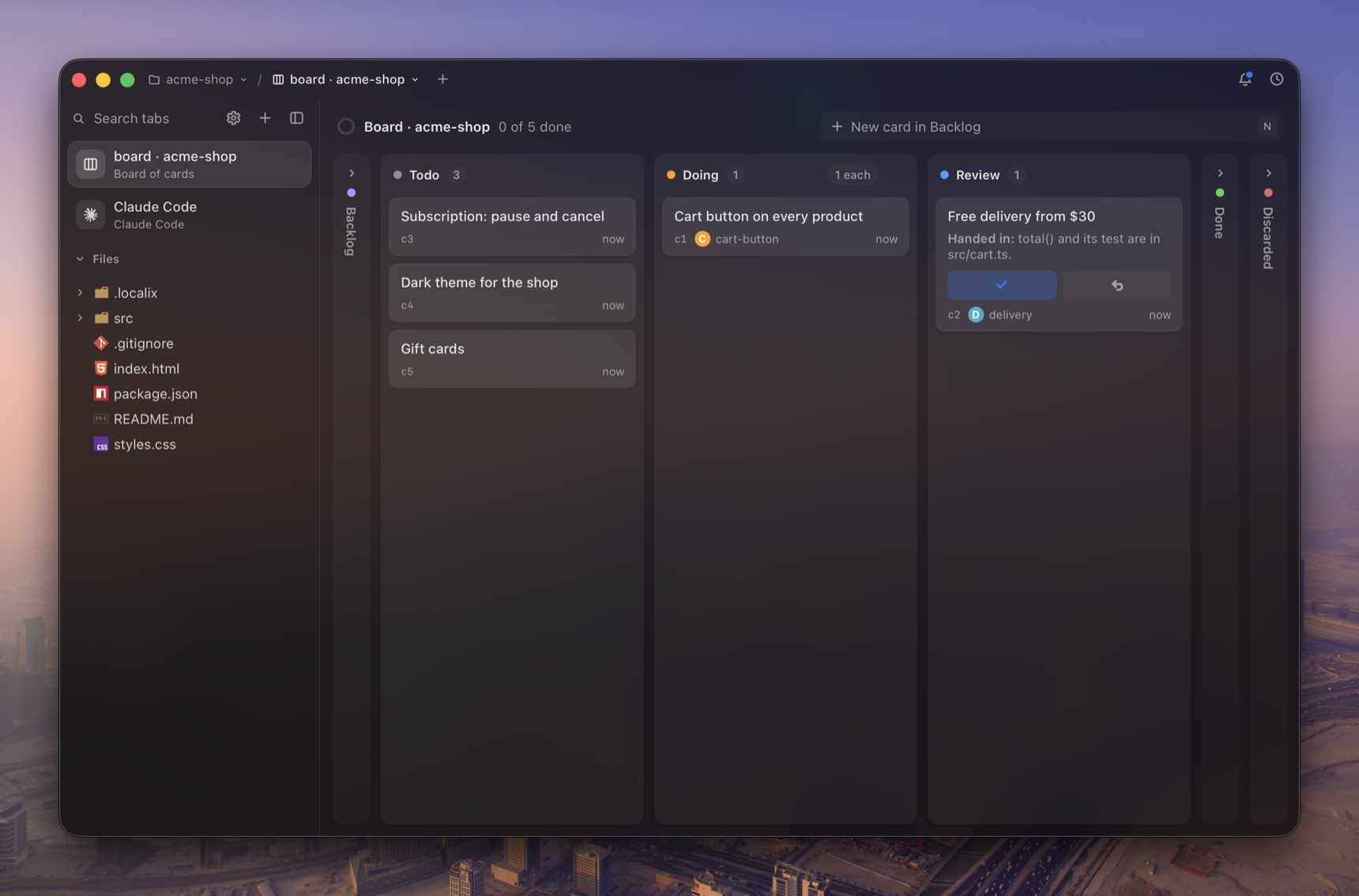
The project’s kanban, kept in the project as .localix/board.json for git. Hand a card to an agent and it starts in a terminal of the project; what it hands in comes back to Review, and only you accept.

The project’s board: cards in Todo, one an agent is doing, one handed in for review

Store

One Store for every agent

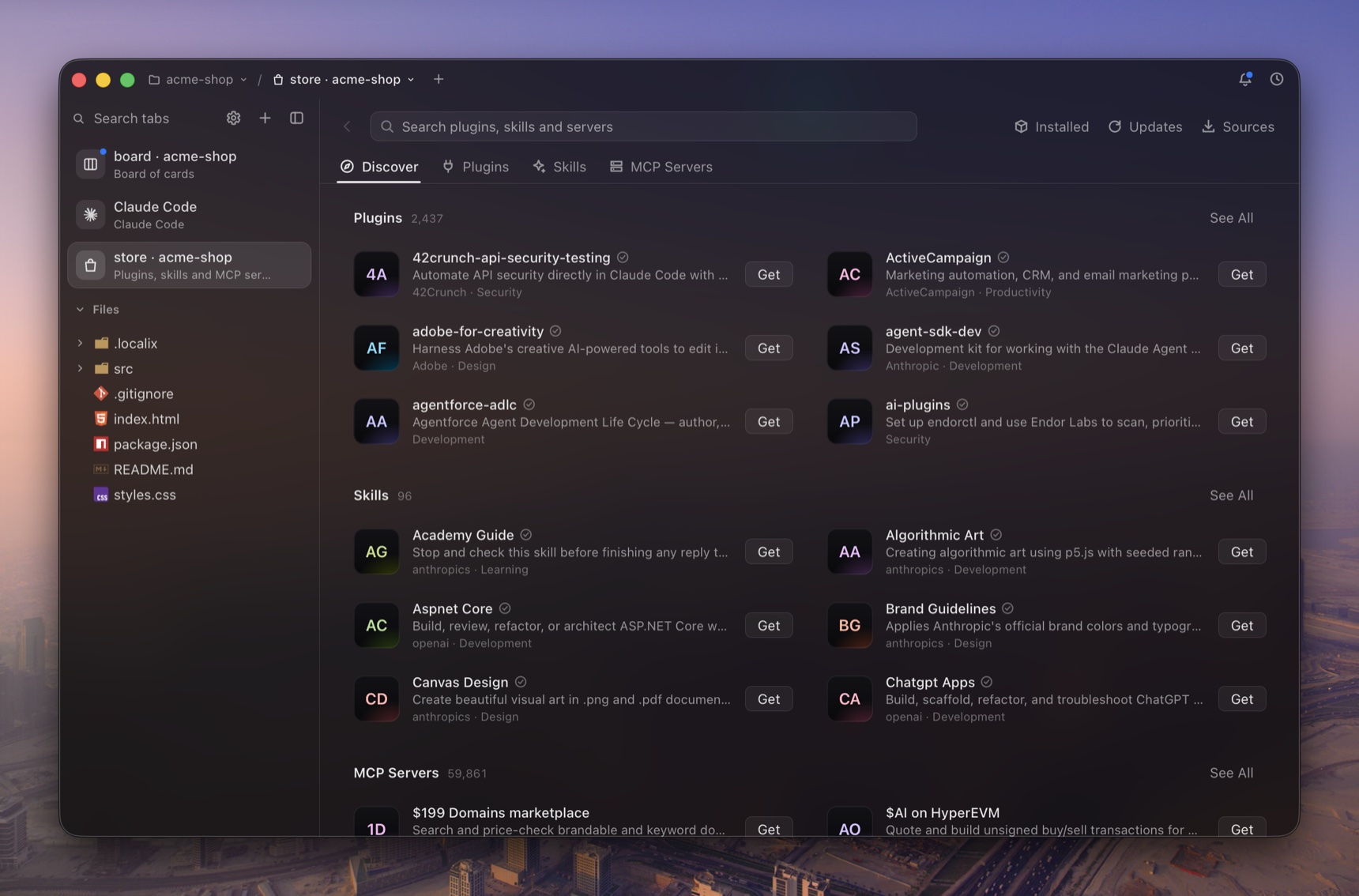
Plugins, skills and MCP servers in one searchable list, installed into Claude Code, Codex, Gemini CLI, GitHub Copilot or OpenCode. Before anything is written or run you are shown exactly what it would do.

The Store: plugins, skills and MCP servers for coding agents, in one list with a search field

Projects

A project is a folder, and it opens as you left it

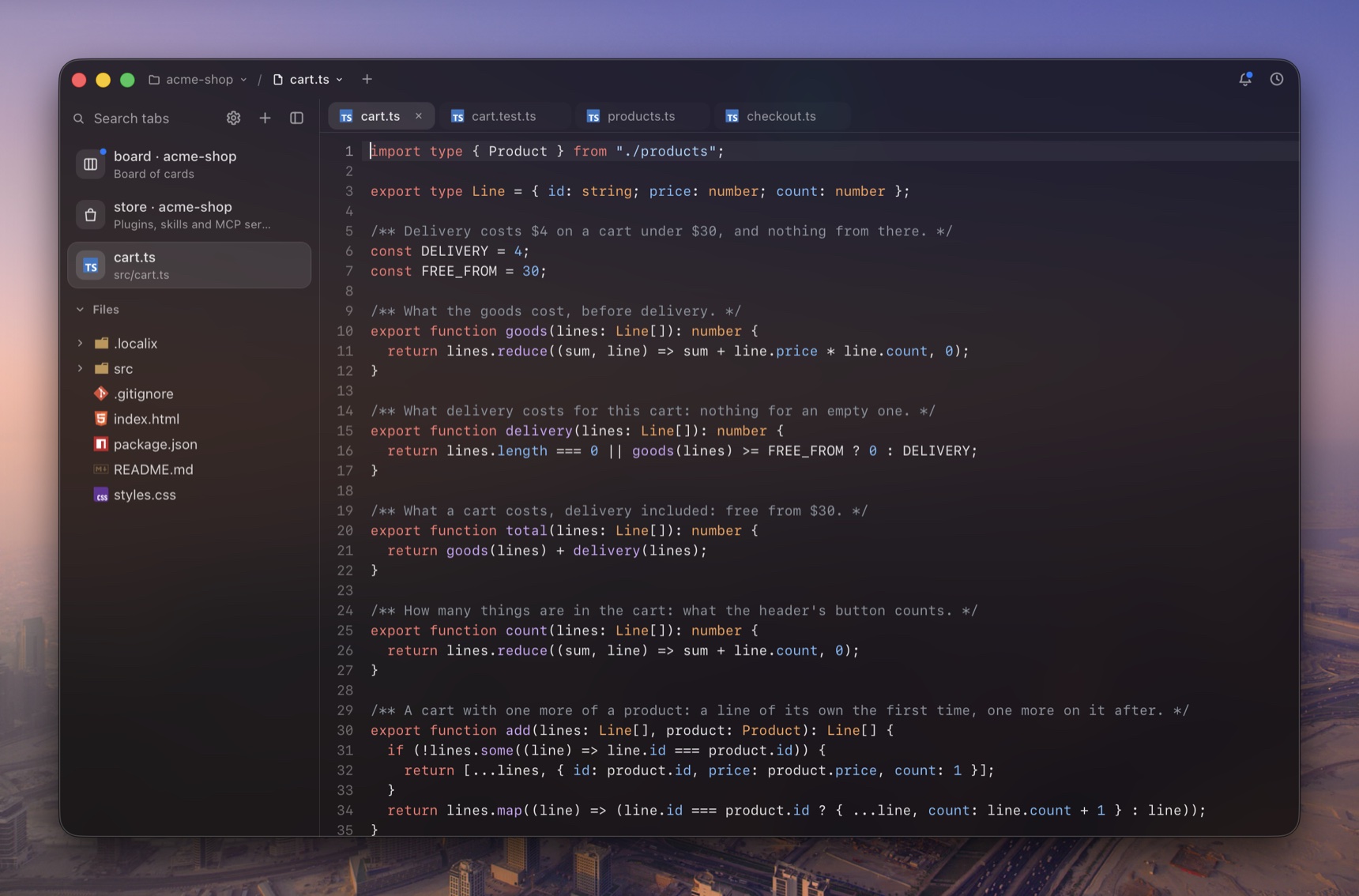
Its sessions, tabs, history and board are its own, even after a restart. The project’s tree is live as an agent changes it, and a file opens in an editor tab beside the terminal.

A file of the project in the editor, three more open in tabs over it, with the project’s tree in the side

Native

No model, no account, no port

One small Rust program with the system’s own WebView, no Electron. The agents are the ones you already run; the app listens only on a socket of your own user.

The appabout 6 MB on macOS, signed and notarizedModelsnone inside: it calls no model and knows no agentAccountnone: nothing to sign in toNetworkno listening port: a unix socket, mode 0600LicenseMIT

Documentation

13 pages →

Start in three steps

Free · MIT license

  1. Install

    The download, or one line in a terminal. The app is all there is: it holds the window, the llxterm command and the MCP server.

  2. Open a project

    llxterm open . in a folder, or Open Folder… (⌘O) in the window.

  3. Open a terminal

    Your shell, or an agent you have installed: it starts in a terminal of the project, already connected to the window.